আপনার panel/Channels
এই পেজ এখনো বাংলায় লেখা হয়নি, তাই ইংরেজিটা দেখানো হচ্ছে। English সংস্করণ
Channels
The channels you follow, which accounts trade each one, and how each is read.
Open Channels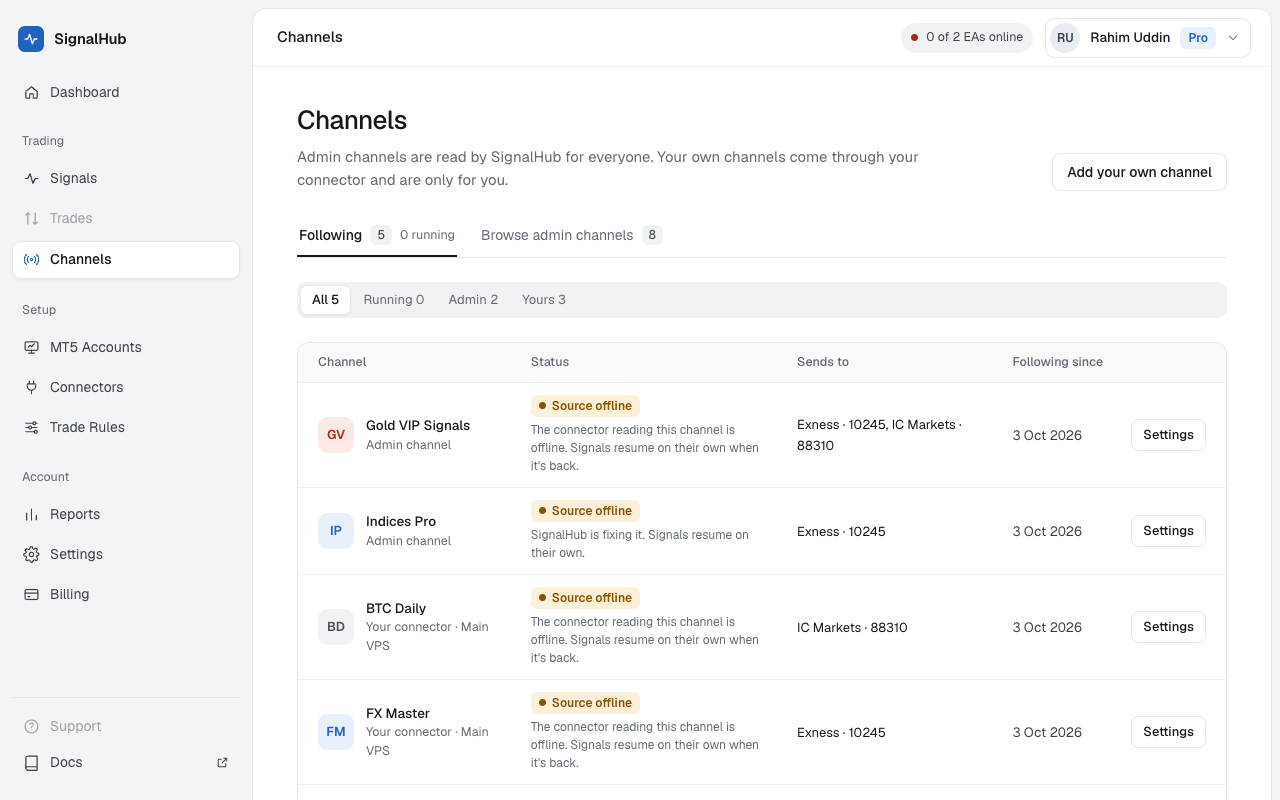
Following and Browse
- Following: every channel you get signals from, admin channels and your own, with its status and the accounts it's sent to.
- Browse: admin channels SignalHubFX reads, with what they trade. Click Follow. On Free, only channels marked Free, 2 at most.
Your own channels appear here when you tick them in Connectors.
A channel's settings
Click a channel to open its settings:
| Setting | What it does |
|---|---|
| Take signals from this channel | Off pauses it: messages are still read and shown, nothing trades. |
| Send signals to | The MT5 accounts that trade it. None ticked: the channel shows No account and nothing trades. |
| Signal format (own channels) | The order type when the signal doesn't say (Auto, Market or Pending), a typical message, and words a message must contain. |
| How recent messages were read | The last messages and what each became. All messages opens the full list. |
With Auto, an entry away from the price becomes a pending order: for a BUY, an entry below the price is a Buy Limit and above it a Buy Stop; for a SELL the other way round.
Status
- Live: signals are traded.
- Paused: you paused it.
- Source offline: the connector that reads it isn't connected. Signals wait until it's back; admin channels show SignalHubFX's notice.
- Stopped by SignalHubFX: an admin channel's new trades are paused for now; open trades keep their SL and TP.
Unfollow
Unfollowing stops new signals at once; open trades stay as they are. For your own channel it also stops the connector from reading it.