Settings
Your time zone, monthly target, and Telegram alerts and summaries. Your name, password and devices are in Profile.
Open Settings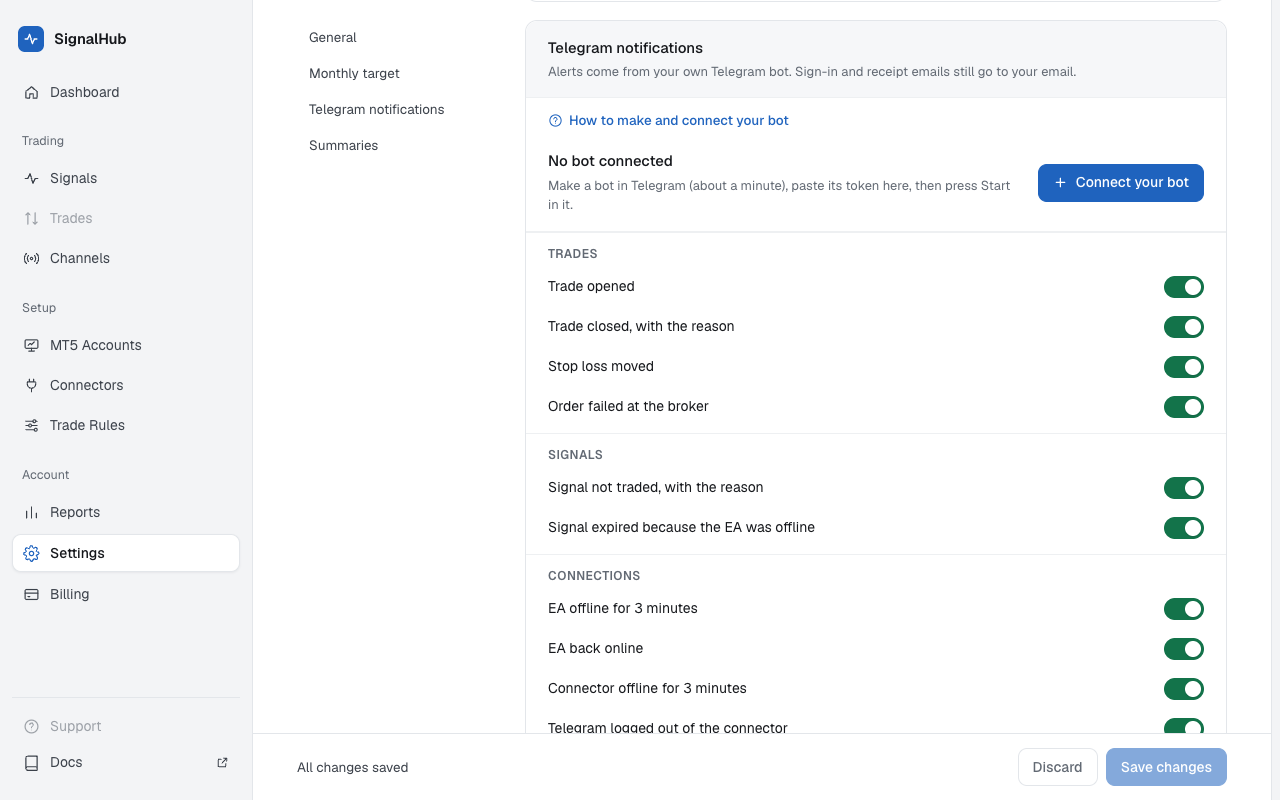
Time zone
Which clock your summaries and "today" use. Daily loss limits follow each broker's own clock instead.
Monthly target
One goal for all your MT5 accounts together, as a share of the balance on the 1st of the month. It shows on the dashboard and never changes how trades are made. Accounts that count can leave demo accounts out.
Telegram notifications
Alerts come from your own Telegram bot, which only you and SignalHubFX can use.
Make a bot
In Telegram open @BotFather, send
/newbot, give it a name and a username that ends inbot. BotFather replies with a token.Connect it
Connect your bot, paste the token, Check. The token is stored encrypted and only used to send you messages.
Press Start
Open your bot (or scan the QR code) and press Start. Your bot sends a welcome message when it's linked.
Then choose which alerts you get:
| Group | Alerts |
|---|---|
| Trades | Trade opened · Trade closed, with the reason · Stop loss moved · Order failed at the broker |
| Signals | Signal not traded, with the reason · Signal expired because the EA was offline |
| Connections | EA offline for 3 minutes · EA back online · Connector offline for 3 minutes · Telegram logged out of the connector · An admin channel you follow stopped |
| Account | Plan renews in 7 days and in 1 day · Payment received · Connector update installed |
Send a test checks the bot any time. If the bot shows Not working, its token was revoked in BotFather or the bot was blocked: connect it again, or open the bot and press Start.
Summaries
- Daily summary at 23:55 your time: trades closed today, wins and P/L per account, and the month so far.
- Weekly summary on Sunday at 23:55: the week's result, the best and worst channel, and your monthly target.
Sign-in and receipt emails still go to your email.